Mark it, clip it,
clean it.
Mark it, clip it,
clean it.
The ultimate OBS Studio creator workflow tool.
Free to use • Windows 10/11
Easy as 1, 2, 3
Mark
Hit a hotkey after something worth keeping happened. Flowmaster marks these highlights while you keep recording.
Clip
Export a highlight reel, separate clips, or both. Original files move into the recording’s output folder after processing.
Clean
Detect and remove original files after highlights are extracted, freeing up storage.
How It Works
Three simple steps to transform hours of editing into minutes
Mark
Press F9 (or your custom hotkey) anytime during gameplay. Flowmaster logs the timestamp in the background - no interruption, no overlay, no lag.
Clip
After your session, Clip uses your timestamp data to extract clips using a "lookback window" (which you can change any time).
Clean
Once you've reviewed your highlights, Clean identifies the original footage and removes it with one click. Reclaim gigabytes of storage instantly.
Packed with Features
Everything you need to edit smarter, not harder
Global Hotkey
Mark highlights instantly with a customizable hotkey - no alt-tabbing required.
Smart File Matching
Automatically finds and links your recording files based on timestamps.
Auto-Remux
Converts MKV recordings to editor-friendly MP4 while cutting - no manual remuxing required.
Recycle Bin Safe
Deleted footage goes to recycle bin first - recover accidentally removed clips easily.
The Future of Flowmaster
We're just getting started. Here's what's coming next.
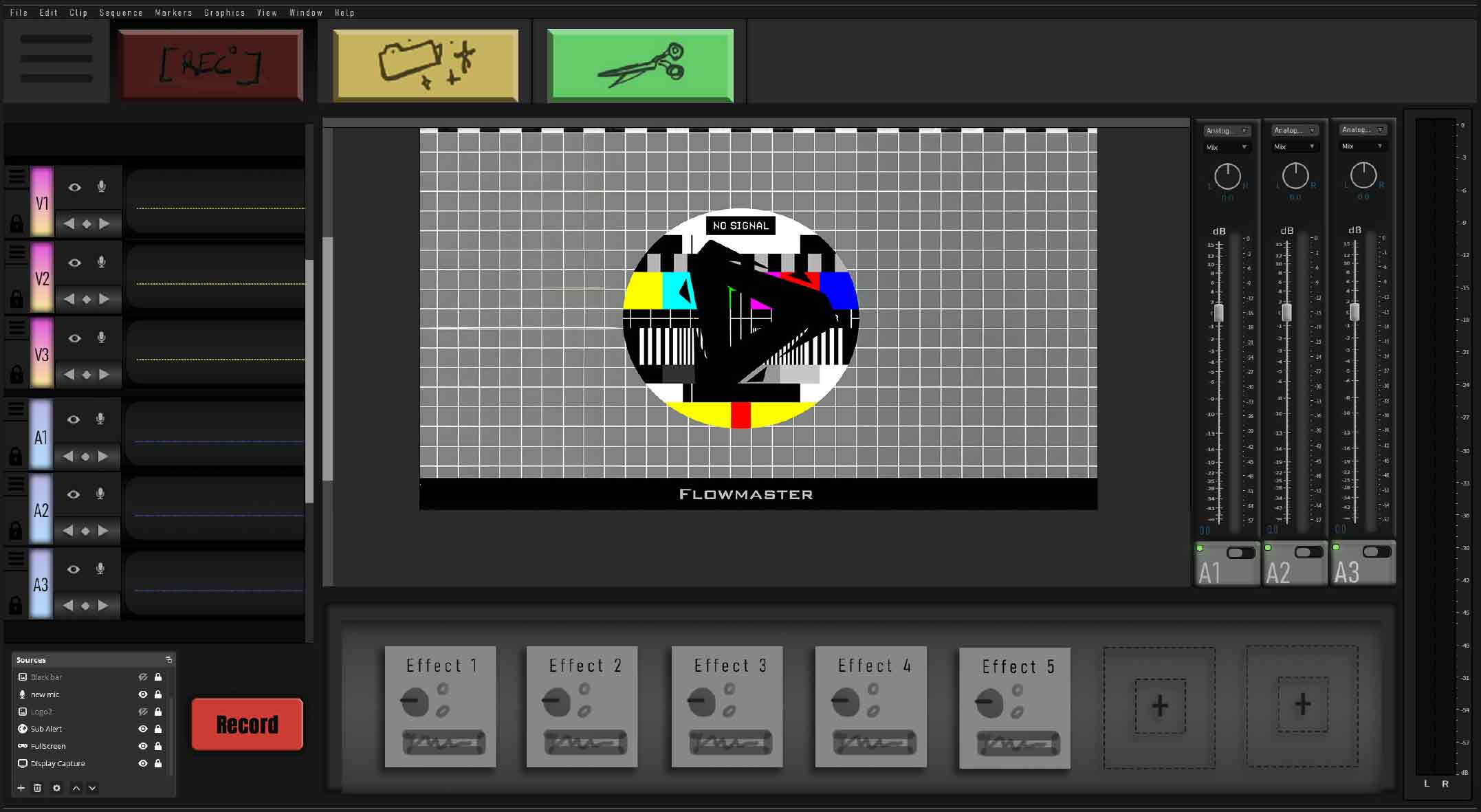
Future UI Preview
Cloud Sync & Backup
Sync your settings and project files across devices. Never lose your work.
Integrated UI with Video Preview
A unified interface with timeline editing and real-time video preview - all in one window.
Collaborative Editing
Share projects and work together with your team through the app.
Ready to Transform Your Workflow?
Mark moments while recording, export the highlights, then review originals for cleanup.
Free account required. No payment card. Paid access is currently unavailable.