The Future of Flowmaster
We're building the ultimate content creation studio. Here's what's coming.
"Most editing tools are moving toward AI that decides what's important in your content. We're going the opposite direction.
Flowmaster gives you precision tools that execute YOUR creative decisions. You mark the moments. We handle the tedious cuts."
We don't guess. You decide.
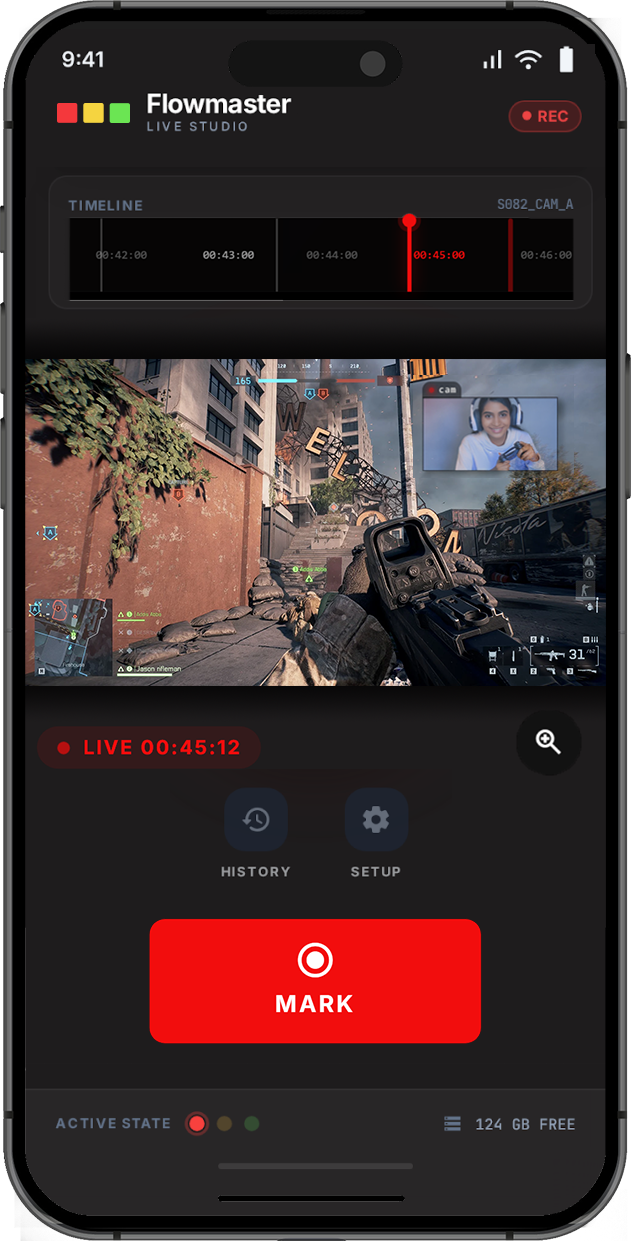
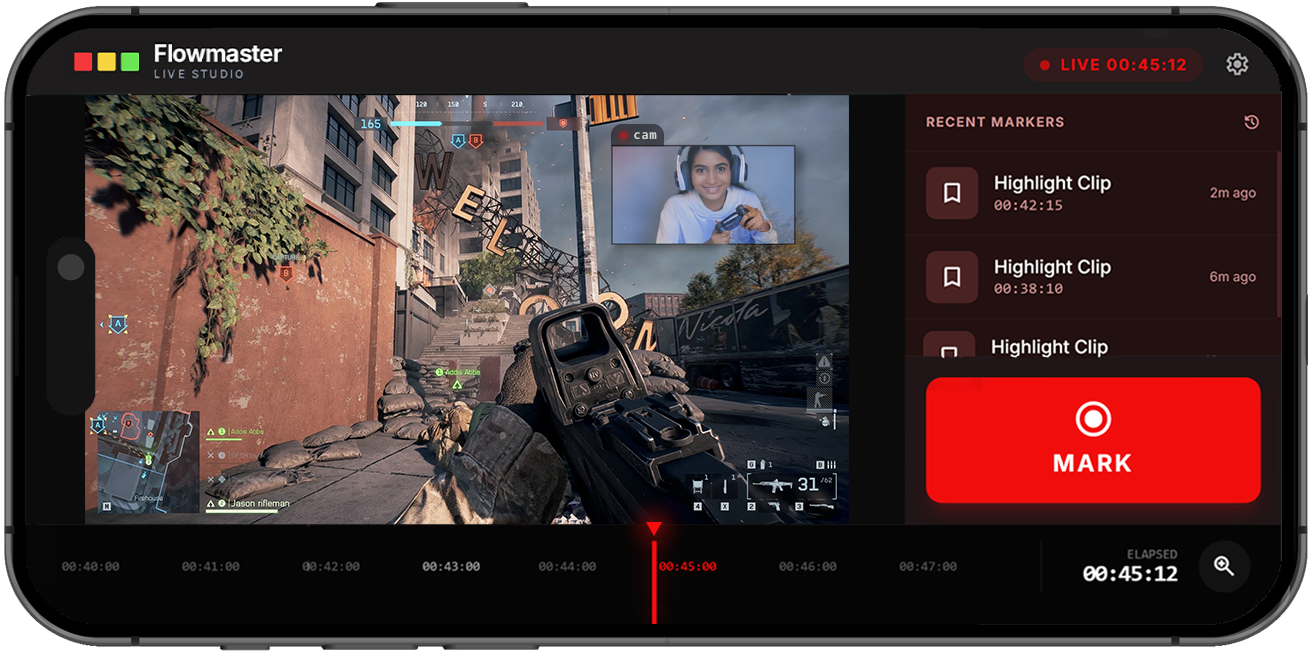
Your Session, In Your Pocket
The Flowmaster companion app puts control where you need it.
Mark Without Interrupting
Tap to mark highlight moments without taking your hands off the controller. Your phone becomes a dedicated F9 button.
Real-Time Session View
See your recording timeline, elapsed time, and recent markers update live as you play.
Stay In Control
Monitor connection status, storage space, and session state at a glance. No surprises when you're done recording.
Works Your Way
Landscape for full timeline access, portrait for quick one-handed marking. Adapts to how you play.
Under Development
The mobile companion app is on our roadmap.
Roadmap
Our development journey, organized into phases. No specific dates — just steady progress toward the vision.
- Single-window experience — All tools in one place
- Multi-track recording — V1-V3 video, A1-A3 audio tracks
- Live preview window — See your sources in real-time
- Waveform visualization — Spot silence before you cut
- Session templates — Quick presets for different content types
- Built-in effects — Audio and video processing without plugins
- Direct streaming — Broadcast to Twitch, YouTube, and more
- Multistream support — Go live on 3 platforms simultaneously
- Integrated chat — All your chats in one panel
- Stream + Record mode — High-quality local file while you broadcast
- Recording profiles — Optimized settings per use case
- Mobile companion app — Mark moments from your phone
- Cloud settings sync — Your presets on any machine
- Disk space alerts — Get notified before you run out of storage
- Remote session monitoring — Check on recordings from anywhere
- Timestamp backup — Never lose your markers
- Podcasting mode — Audio-focused interface, video preview removed
- Remote guest recording — Better than Riverside, completely free
- Browser-based guest joining — Guests need no app, just a link
- Multi-participant waveforms — See every voice in real-time
- Podcast chapter export — Ready for Spotify, Apple Podcasts, YouTube
- Direct NLE export — Send timelines to Premiere, DaVinci, Final Cut
Why Flowmaster?
See how Flowmaster compares to other tools in the space.
vs. OBS
More than recording
OBS captures footage. Flowmaster captures footage AND helps you edit it. Mark moments live, cut automatically, clean up files — all in one workflow.
vs. AI Editors
You stay in control
AI editors guess what's important. Sometimes they're wrong. Flowmaster executes YOUR decisions with precision. No black box. No surprises.
vs. Riverside
Podcasting, free forever
Remote guest recording with local quality — and it won't cost you $24/month. Podcasting mode is free. Always.
Want to shape the future?
Join our Discord to vote on features and get early access to new releases.